View upcoming and past classes
Learn how to navigate your class schedule to see upcoming lessons and review past sessions.
View upcoming and past classes
Your schedule shows all your classes – past, present, and future. Here’s how to navigate it.
Access your schedule
From navigation
Click Classes in the top navigation menu to open your full schedule.
From the dashboard
Click any class on your dashboard calendar to see its details.
Classes page
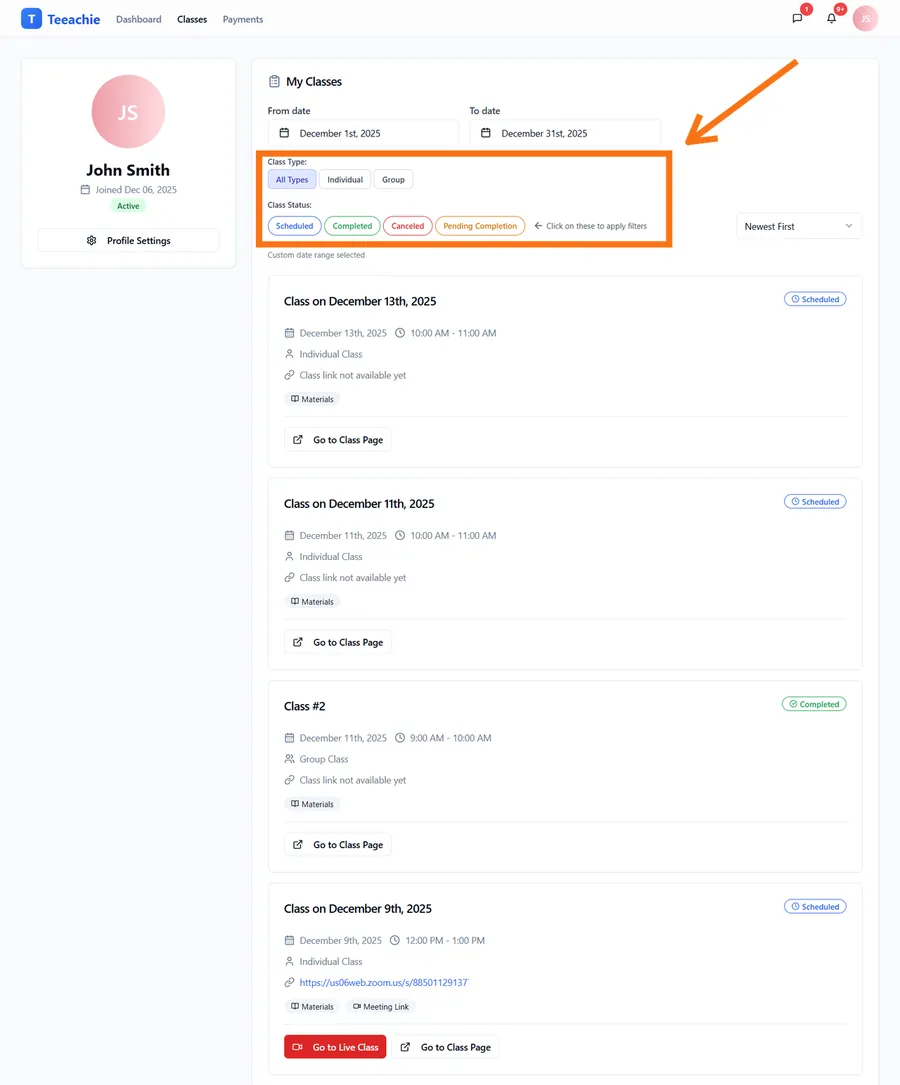
The Classes page shows a filterable list of all your classes:
Filters available
- Date range – Current month by default, adjust as needed
- Class type – Individual classes, group classes, or all
- Status – Scheduled, completed, or cancelled
- Sort options – Order by date or other criteria
Class information
Each class shows:
- Date and time – When it’s scheduled
- Duration – How long the class is
- Type – Individual or group
- Status – Scheduled, completed, cancelled
Click for more details
Clicking a class reveals:
- Meeting link (for upcoming classes)
- Materials your teacher shared
- Your personal notes
- Class page access
Upcoming vs past classes
Upcoming classes
Classes in the future show:
- Meeting link (when available)
- Materials to review before class
- Click to open the class page for full details
Past classes
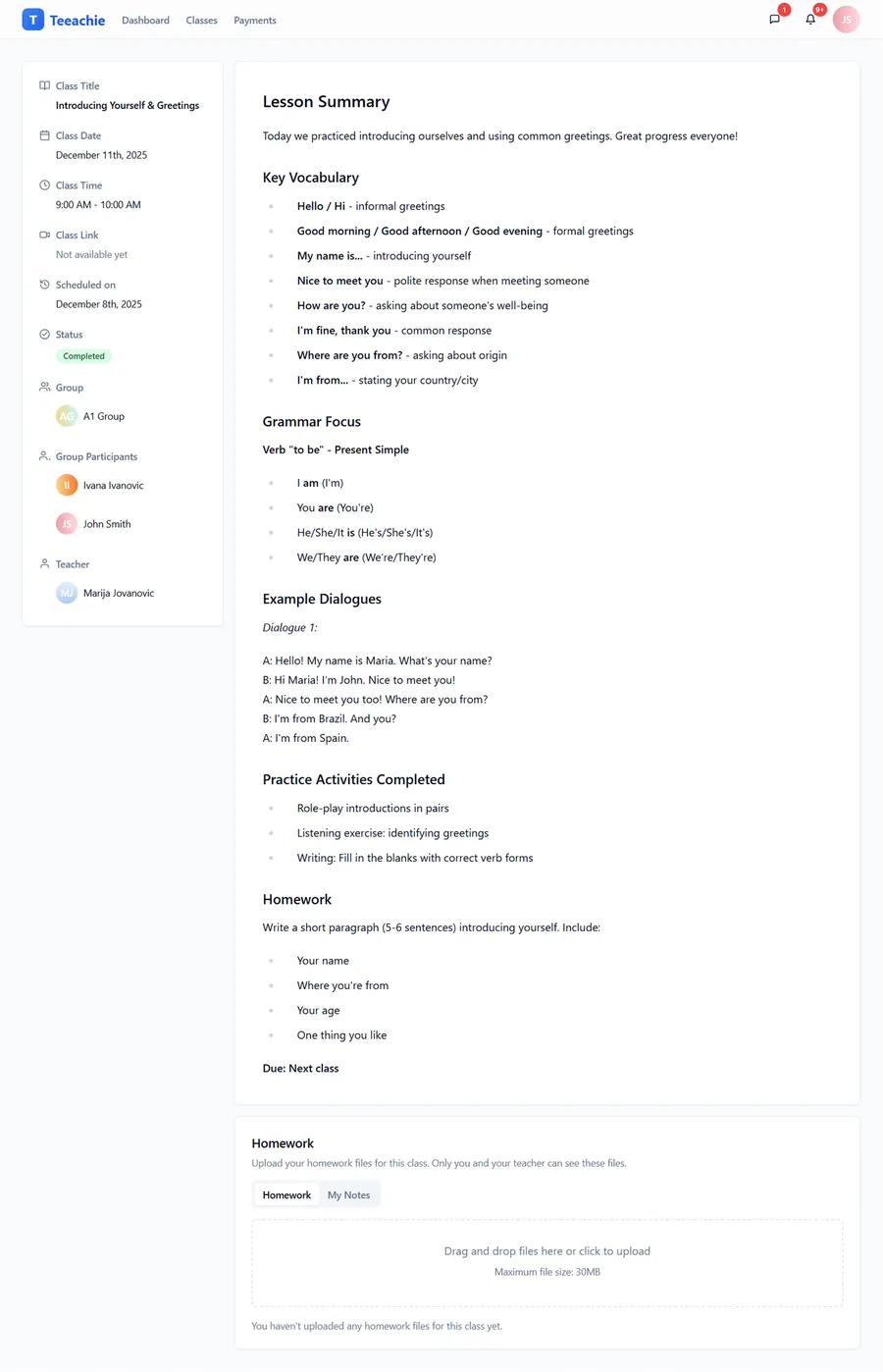
Completed classes show:
- What was covered (if notes added)
- Materials from that lesson
- Your homework submissions
Using filters
Find specific classes using the filter options at the top of the list:
By date range
- Select start and end dates
- Defaults to current month
- Extend to see more history or future classes
By class type
- Individual – One-on-one classes with your teacher
- Group – Classes with other students
- All – Show everything
By status
- Scheduled – Upcoming classes
- Completed – Finished classes
- Cancelled – Classes that were cancelled
Class statuses explained
| Status | Meaning |
|---|---|
| Scheduled | Class is confirmed for the future |
| Completed | Class happened and was marked done |
| Cancelled | Class was cancelled |
| Pending completion | Class happened and your teacher is finalizing records |
About Pending completion: You might see this after a class ends while your teacher finishes attendance or notes. No action is needed from you; it will move to Completed once they finalize it.
Time zones
All times display in your timezone:
- Set in your profile settings
- Automatically converted from your teacher’s time
- Make sure your timezone is correct!
What’s next?
- Join a class – Find meeting links
- Access materials – Download files
- Self-schedule – Book classes
Need help?
Can’t find a class? Contact support or check our troubleshooting guide.