Sign in, sign out, and reset your password
Learn how to access your Teeachie account and what to do if you forget your password.
Sign in, sign out, and reset your password
This guide covers how to access your Teeachie account and manage your login.
Sign in to Teeachie
- Go to teeachie.com
- Click Sign In
- Enter your email address
- Enter your password
- Click Sign In
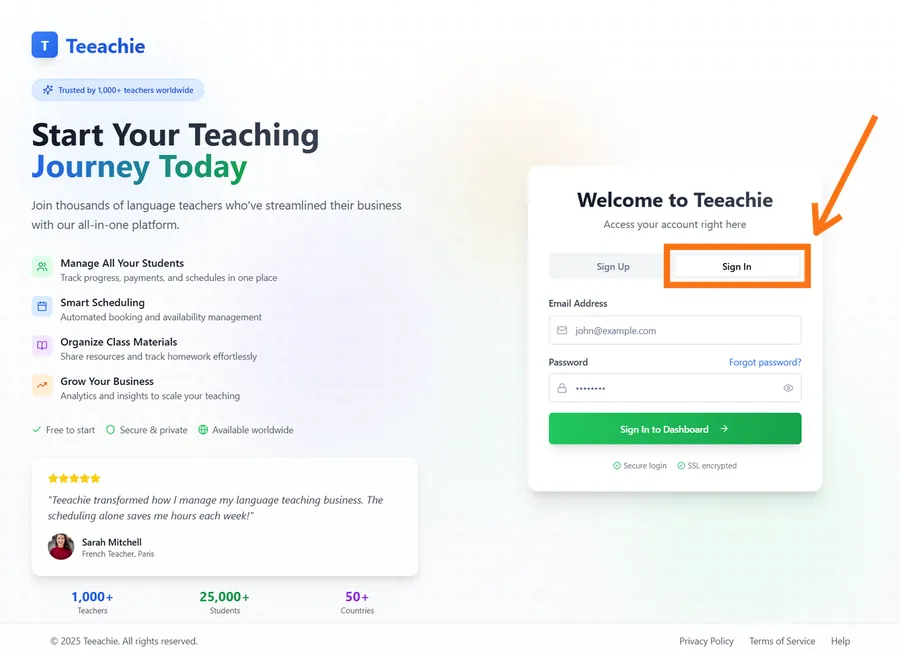
After signing in, you’ll land on your student dashboard.
Stay signed in
Teeachie keeps you signed in for convenience:
- Sessions last until you sign out
- You may need to sign in again after browser updates
- Private/incognito mode doesn’t save sessions
Log out
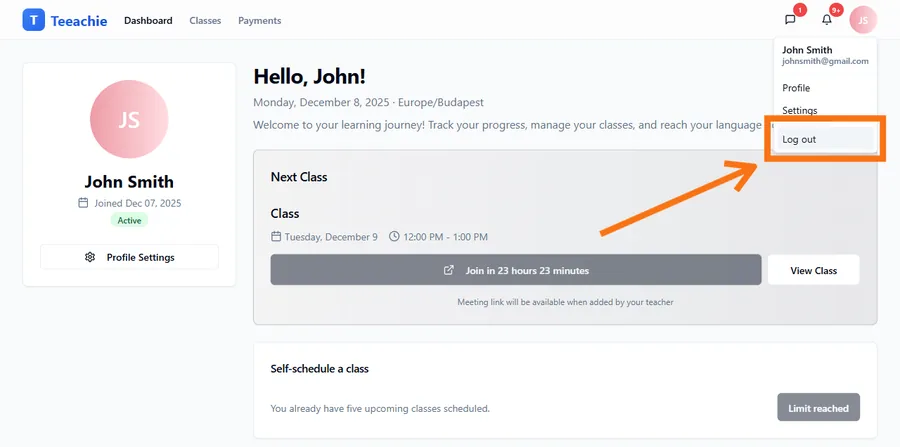
When you’re done:
- Click your avatar in the top right
- Select Log out from the menu
- You’re returned to the home page
When to sign out
- Using a shared or public computer
- Switching to a different account
- Troubleshooting login issues
Reset your password
If you’ve forgotten your password:
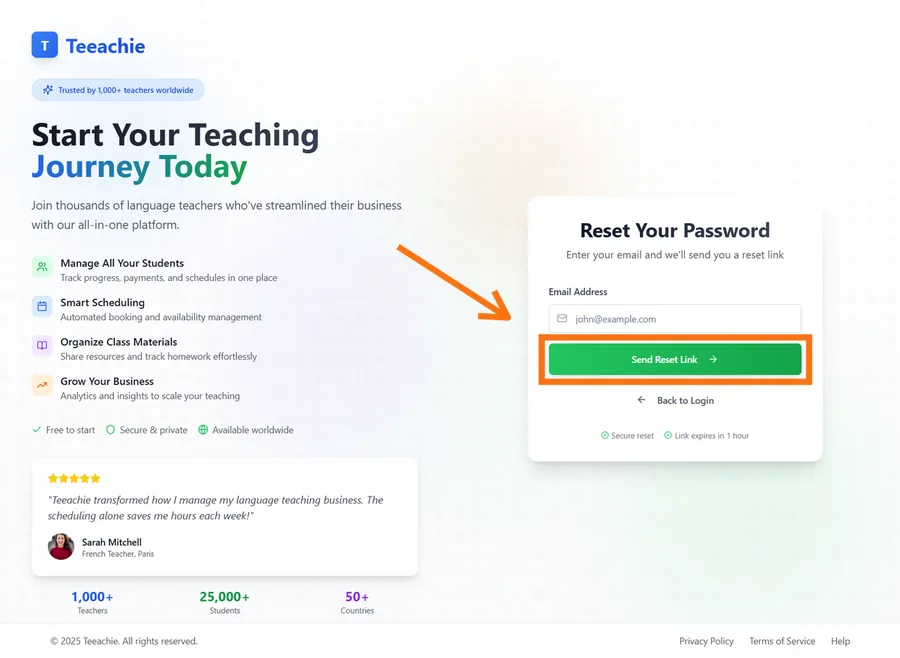
Step 1: Request reset
- Go to the Sign In page
- Click Forgot password?
- Enter your email address
- Click Send Reset Link
Step 2: Check your email
Look for an email with:
- Subject: “Reset your password”
- A button to reset your password
- The link expires after a short time
Step 3: Create new password
- Click the link in the email
- Enter your new password
- Confirm the password
- Click Reset Password
Step 4: Sign in
Use your new password to sign in.
Troubleshooting
”Invalid email or password”
- Check for typos in your email
- Make sure caps lock is off
- Try resetting your password
Didn’t receive reset email
- Check spam/junk folder
- Wait a few minutes for delivery
- Try requesting again
- Verify you used the correct email
Reset link not working
- Links expire quickly – request a new one
- Make sure you clicked the full link
- Try copying and pasting the URL
Can’t remember your email
- Think about which email your teacher invited
- Check old emails for the invitation
- Ask your teacher which email they used
Security tips
Keep your password safe
- Don’t share it with others
- Use a unique password for Teeachie
- Consider using a password manager
Recognize official emails
Teeachie emails come from addresses configured by the Teeachie team. Don’t trust emails that ask for your password or direct you to unfamiliar URLs.
Sign out on shared devices
Always sign out when using computers that others might access.
What’s next?
- Update your profile – Change settings
- View your classes – See your schedule
- Troubleshooting login – More help
Need help?
Can’t access your account? Contact support with details about the issue.
Updated December 2, 2025