View your groups and group schedule
Learn how to find your group classes, see the schedule, and access group information.
View your groups and group schedule
This guide shows you how to find and manage your group classes.
Access your groups
From your dashboard
On your dashboard, look for the Group Classes card. This shows all groups you’re enrolled in with key information at a glance.
Your Group Classes card
The Group Classes card on your dashboard shows:
- Group name – What the group is called
- Enrollment status – Active, Pending, etc.
- Group classes left – How many sessions remain
- Payment status – Whether you’re paid up or have a balance due
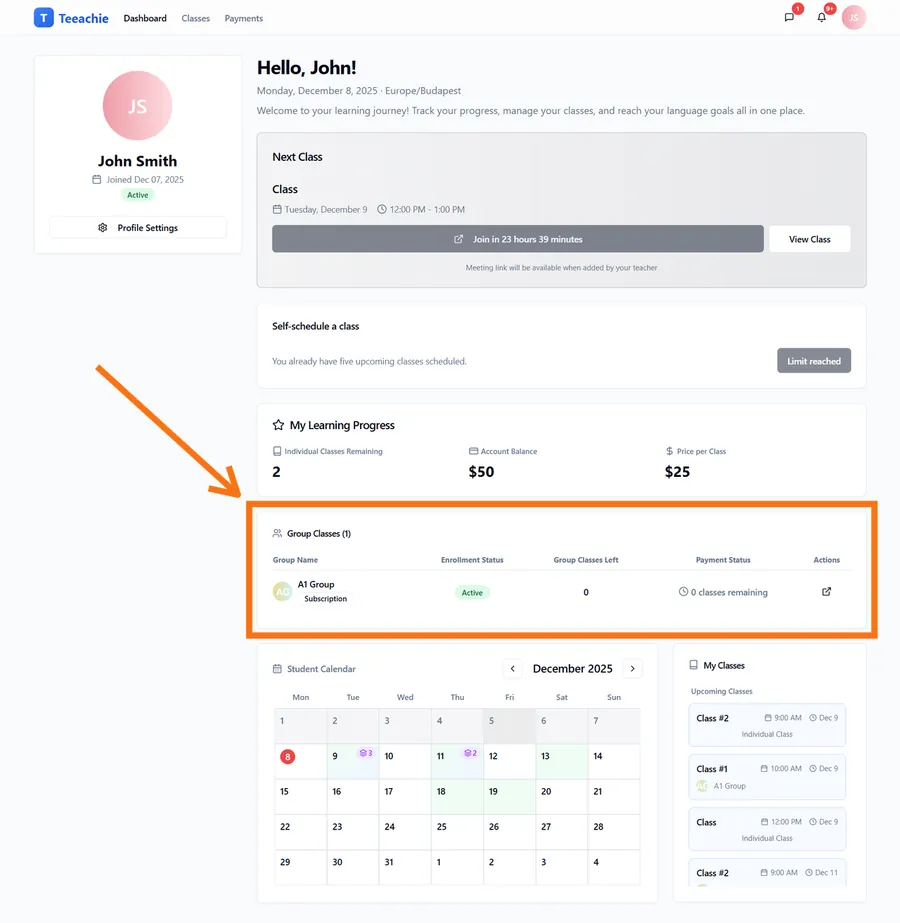
Click the View Group button (or the external link icon) to open the group’s profile page.
Group schedule
Each group has its own schedule on the group profile page:
View upcoming classes
- Open the group profile (click View Group from your dashboard)
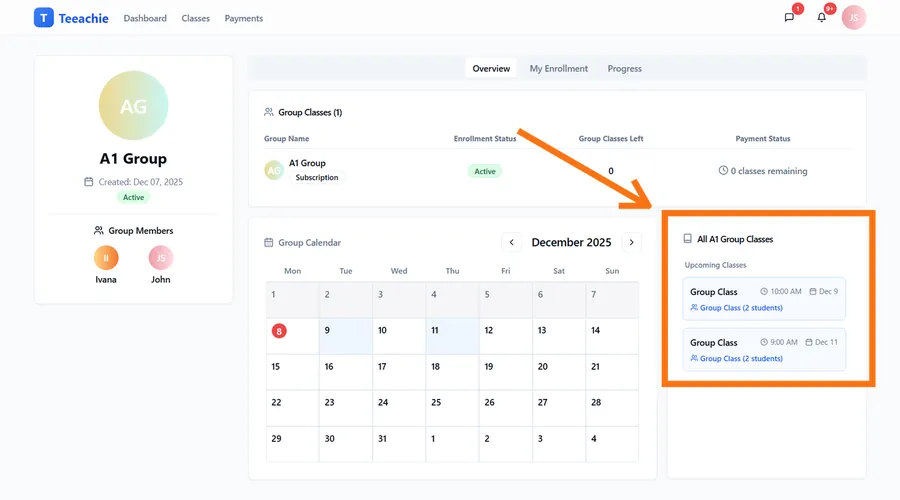
- Look at the Group Calendar and the All [Group Name] Classes section on the right
- See all upcoming sessions listed with dates and times
Class details
Each class in the list shows:
- Time of the class
- Date
- Number of students in the group
Join group classes
When it’s time for a group class:
- Find the class on your calendar or group profile
- Click the meeting link
- Join the video call
- Meet your classmates and teacher!
Your enrollment status
Your status in a group might show labels such as:
| Status label | Meaning |
|---|---|
| Active | You can attend classes. |
| Pending (for example pending initial payment or pending invitation) | Your teacher is still finalising your enrollment or payment. |
| Completed | You’ve finished the package for this group. |
Check your status in the group profile or in any group enrollment cards your teacher has shared with you.
Sessions remaining
If you’re on a package (fixed sessions):
- See how many sessions you have left
- Sessions are deducted when you attend
- When depleted, speak to your teacher about renewal
Classmates
See who else is in your group:
- Names and avatars visible
- Recognize them in class
- Contact info stays private
Calendar integration
Group classes appear on your main calendar:
- Mixed with your individual classes
- Color-coded or labeled
- Click for details and meeting link
Multiple groups
If you’re in multiple groups:
- Each appears separately in your groups list
- Each has its own schedule
- Classes from all groups show on your calendar
- Sessions are tracked per group
What’s next?
- Understand groups – How groups work
- Join a class – Find meeting links
- View payment history – Your payments
Need help?
Questions about your group schedule? Contact support or message your teacher.