Teeachie overview for teachers
Take a tour of your Teeachie dashboard and learn about the key features available to you as a teacher.
Teeachie overview for teachers
Welcome to Teeachie! This guide gives you a tour of the platform and helps you understand where everything is.
Your dashboard
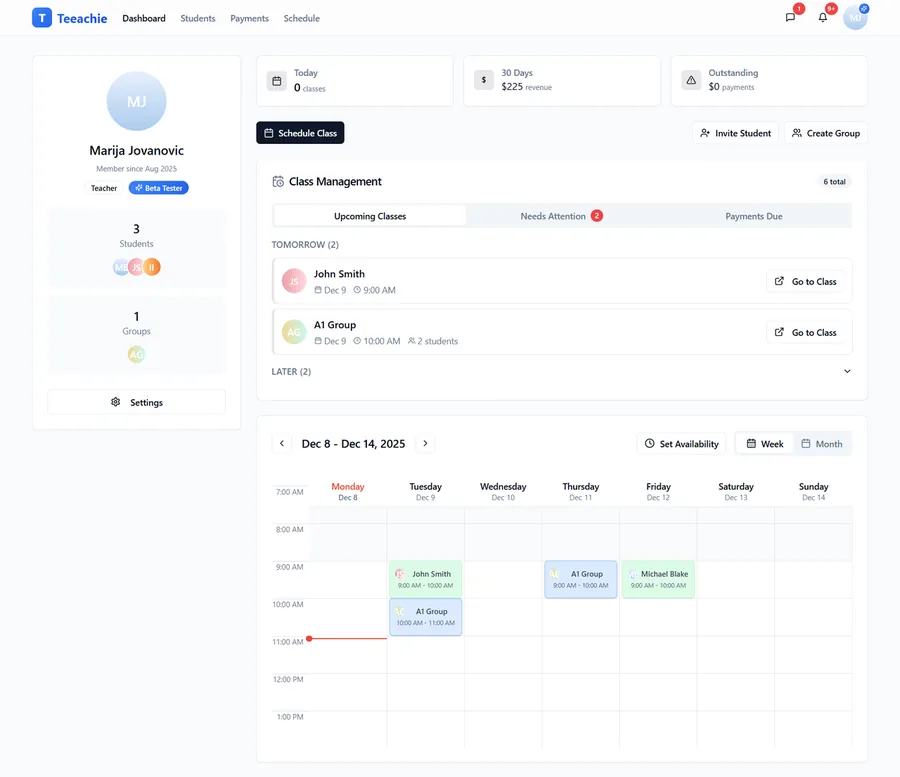
When you sign in, you land on your Dashboard. This is your home base, typically showing:
- Metrics overview – Key numbers at a glance
- Calendar – Your schedule view
- Class Management Hub – Quick actions for classes and payments
The notification bell in the header shows recent updates and alerts.
Main navigation
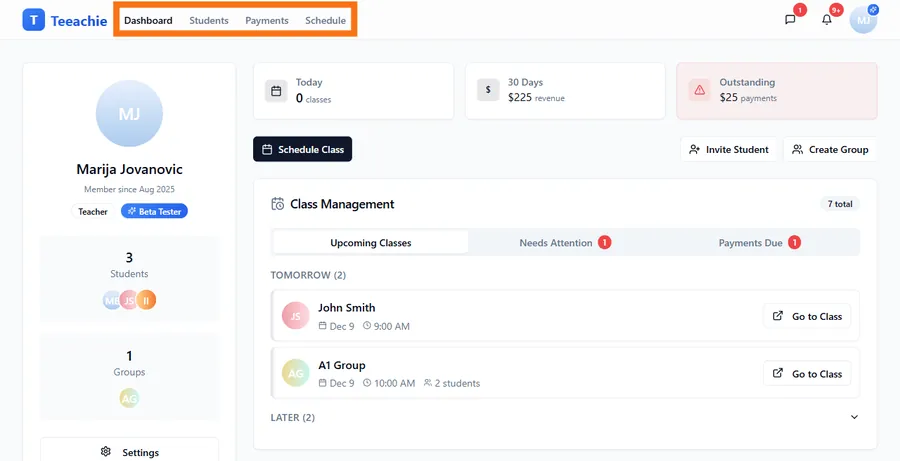
The navigation bar gives you access to all major areas:
Dashboard
Your home base with:
- Metrics overview
- Calendar
- Class Management Hub
Students
Manage your individual students:
- View all students
- Add new students
- Access student profiles
- Track credits and payments
- Access groups (from student profiles)
Payments
Financial overview:
- View all payments
- Track revenue
- Manage outstanding balances
Schedule
Your calendar and availability:
- View and manage classes
- Set availability times
- Schedule new classes
- Access class pages
Note: Groups are accessed through student profiles rather than a separate navigation item.
Key features at a glance
Student management
- Add students with email invitations
- Track credits and payment history
- View profiles with all student details
- Archive inactive students
Scheduling
- Set availability – Define when you’re free to teach
- Schedule classes – Book individual or group sessions
- Student self-scheduling – Let students book their own classes
- Manage cancellations – Reschedule or cancel with notifications
Groups
- Create groups for students who learn together
- Set up offers – Package or subscription pricing
- Track enrollments and attendance
- Schedule group classes for all members
Class pages
- Add meeting links for video calls
- Upload materials – Slides, documents, audio
- Write notes – Prep and post-class summaries
- View homework – Student submissions
Payments
- Record payments as you receive them
- Track credits for individual students
- Manage enrollments for groups
- View revenue analytics and trends
Messaging
- Send messages to students directly
- Group conversations for announcements
- Real-time notifications for updates
Class Management Hub
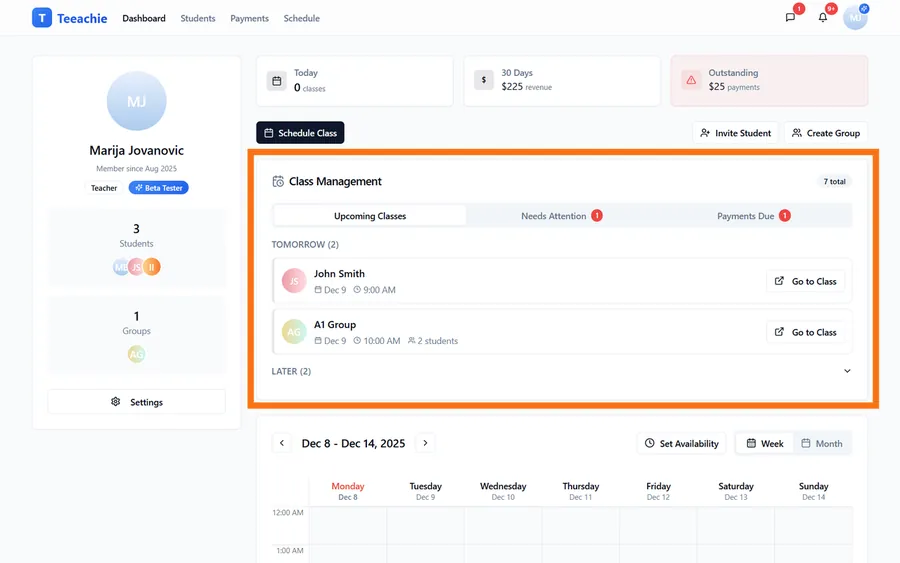
The Class Management Hub is your central control center:
Upcoming Classes
See what’s coming up:
- Next classes by date
- Quick access to class pages
- Add meeting links
Needs Attention
Classes requiring action:
- Past classes to complete
- Missing meeting links
- Pending items
Payments Due
Financial follow-ups:
- Students with low credits
- Outstanding enrollment payments
- Quick payment recording
Settings
Access Settings from the avatar dropdown in the top-right corner:
- Profile – Name, avatar, bio, teaching subject, default class length, preferred currency & time format, and the “Allow student self-scheduling” toggle
- Account – Email, timezone, “Log out everywhere” controls
- Password – Request a password reset email
- Notifications – Choose which in-app notifications you see
- Billing – Billing details and subscription (when applicable)
Getting started checklist
If you’re new, here’s a quick path to success:
- ✅ Set up your profile and account – Add your avatar, teaching subject, and set your timezone in Settings
- ✅ Add your first student – Send an invitation
- ✅ Set your availability – Define teaching hours
- ✅ Schedule a class – Book your first session
- ✅ Add a meeting link – Share your video call URL
See Quick Start Guide for step-by-step instructions.
Tips for success
Check your dashboard daily
Stay on top of upcoming classes and items needing attention.
Keep availability updated
Students rely on your availability for self-scheduling.
Record payments promptly
Accurate credit tracking helps avoid confusion.
Use class pages
Materials and notes create value for your students.
What’s next?
- Quick Start Guide – Get started in 5 minutes
- Add your first student – Start building your roster
- Set availability – Define your teaching hours
Need help?
Questions about using Teeachie? Contact support and we’ll guide you.